
GED Testing Service
Study Page Redesign
Problem to be solved
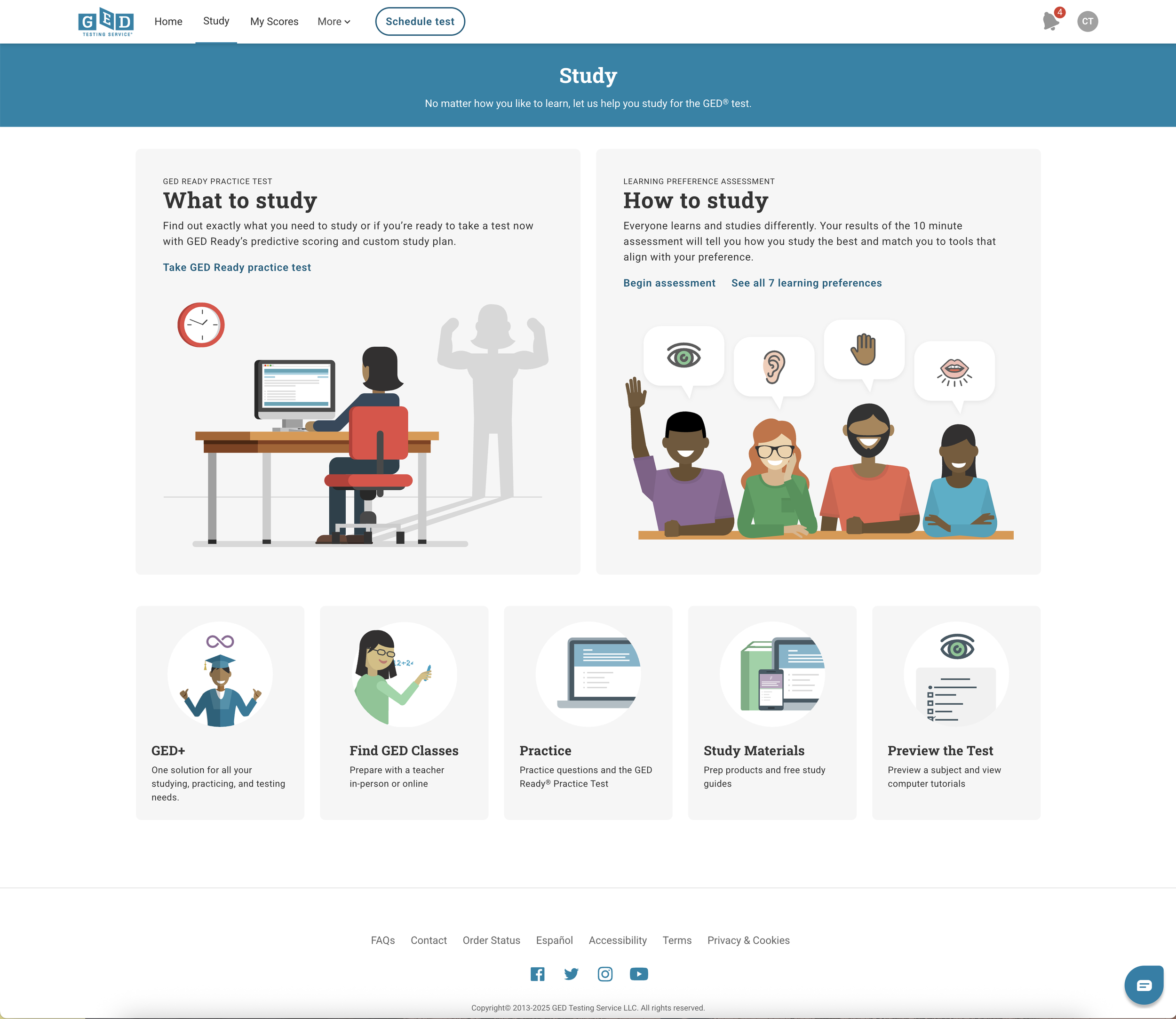
The Study Page on app.GED.com is the gateway to students learning about GED study tools and one of our main revenue pathways, but we “hide” products and group them together in ways that are no longer aligned to our products (as we’ve grown the products we offer).
We only “expose” two of our products–GED+ and GED Ready, which are basically the most extreme ends of our pricepoint, and the only product that has a stand-alone product page in the portal is GED+.
Because of these differences in presentation, the dev maintenance of these pages is high, and implementing promotions is unique for each product. If we build a stand-alone product page for each of the study products that students can purchase, we can reduce dev churn for each promotion and create a uniform experience for all other teams as well (marketing, store, QA, BA), etc.
Current Study Page:
External User Feedback
-
Users want to be able to browse all of our products, not get "stuck" on a page with only *some* of our products.
-
Some users feel so confident they don't want to have to view all of the products before they can move on to the next step (taking a test).
Internal User Feedback
-
The teams that have to set up promotions for our products have different how-to steps for each product. Creating a more uniform experience would be nice to help them implement ad hoc promotions.
-
The promotion card that houses the CTA on the landing page of the portal is way down at the bottom (because this is the only one that can be used for ad hoc messaging); marketing teams want to know if our promotions can get a higher priority or exposure?
Solution
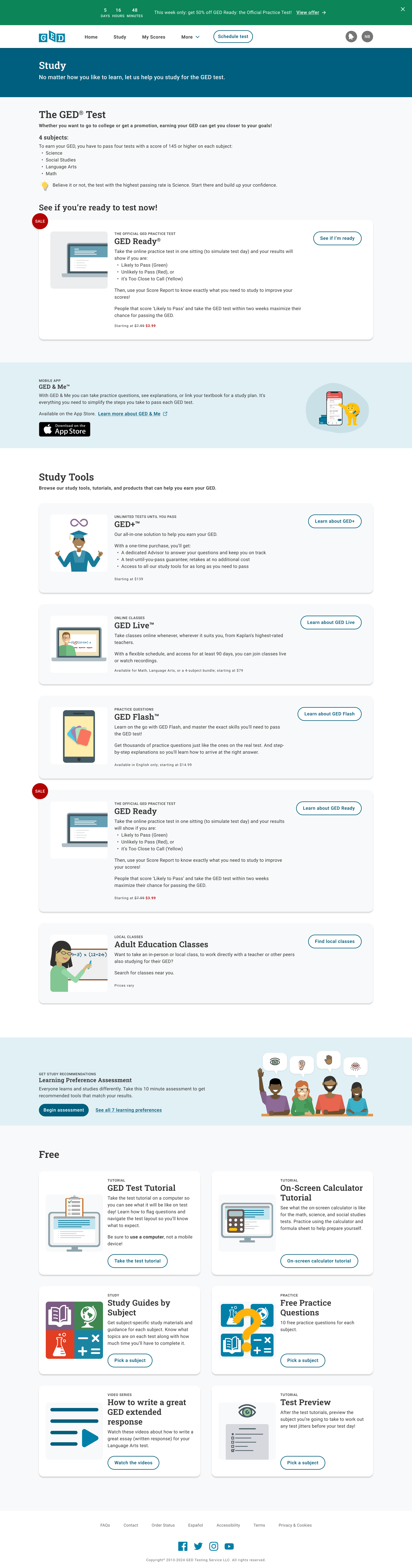
Redesign the Study Page, exposing all products (paid and free), while still supporting an “fast pass” option for those students that want to test right away, instead of studying.
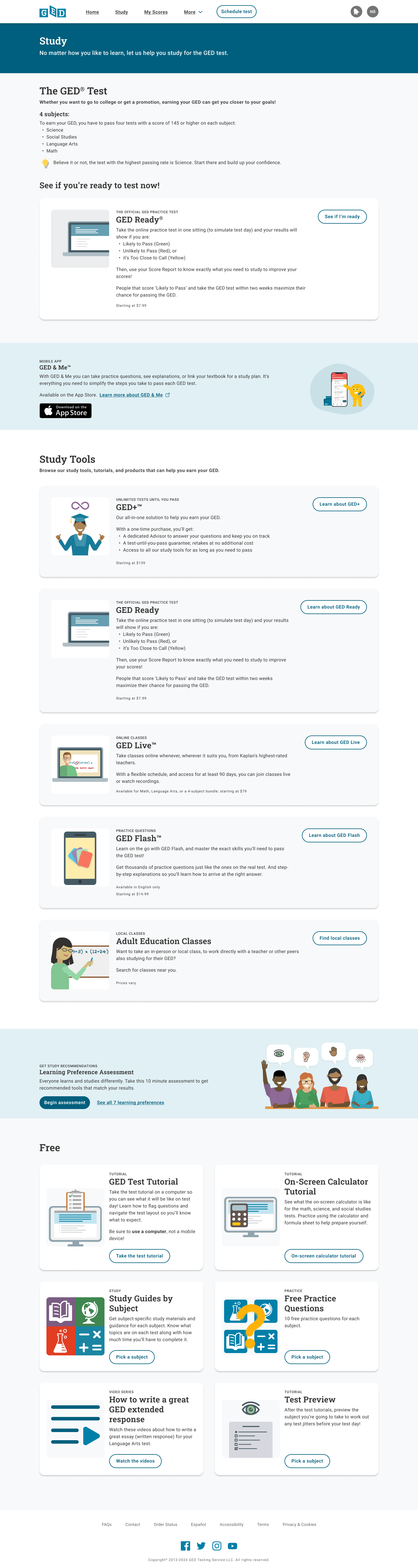
Key improvements
Implemented Page header component (improved contrast and accessibity)
Provide a short “outline” of what the GED Test consists of
Provide an option for students that are confident to skip “studying” and just take a practice test (GED Ready)
A promotion section for GED & Me mobile app, another study tool for students
Expose all of our revenue-generating/vendor products
Each product card allows us to:
Create new product pages for each of those products
Provide a more uniform promotional experience across every product
Show scannable highlights that can help users compare tools (pricing, languages, etc.)
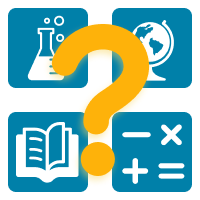
Update product illustrations throughout the portal and store to provide user consistent feedback on which product they are purchasing/viewing.
A promotion section for a learning evaluation that can help direct users to which study tool is right for them based on how they like to learn
Expose all of our free resources up front, reducing clicks user needs to get to them
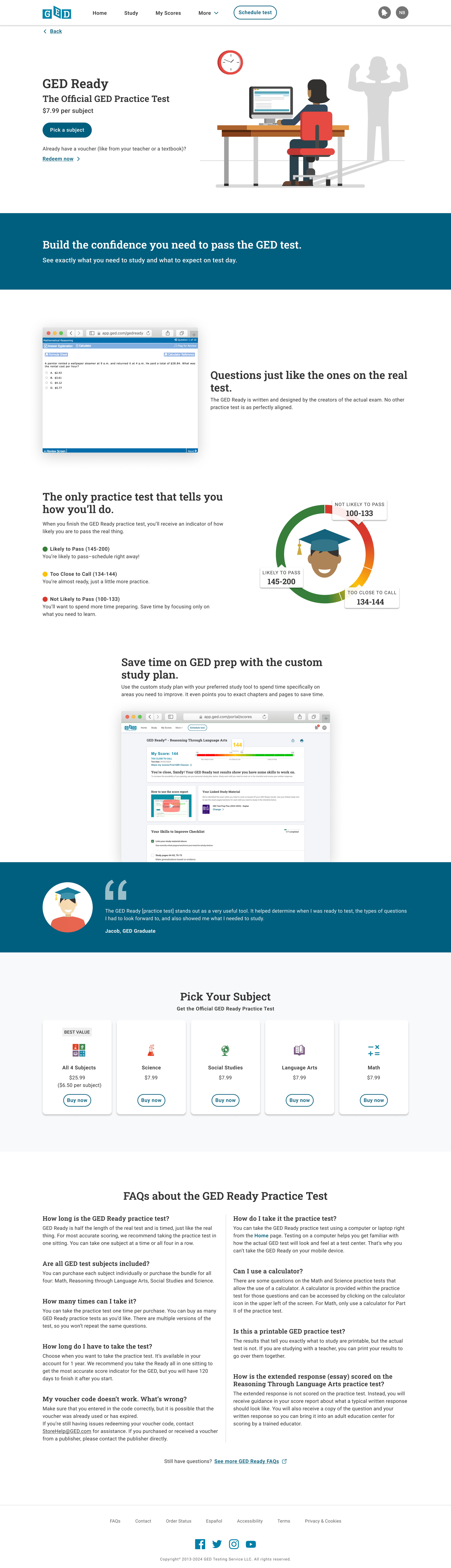
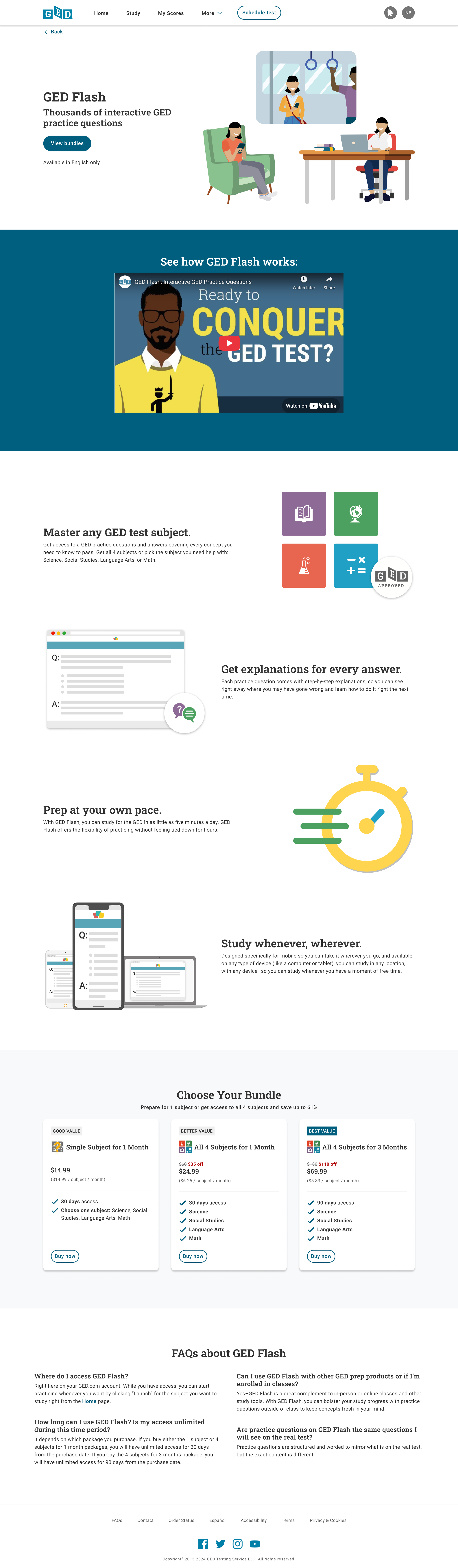
Benefits of building product pages
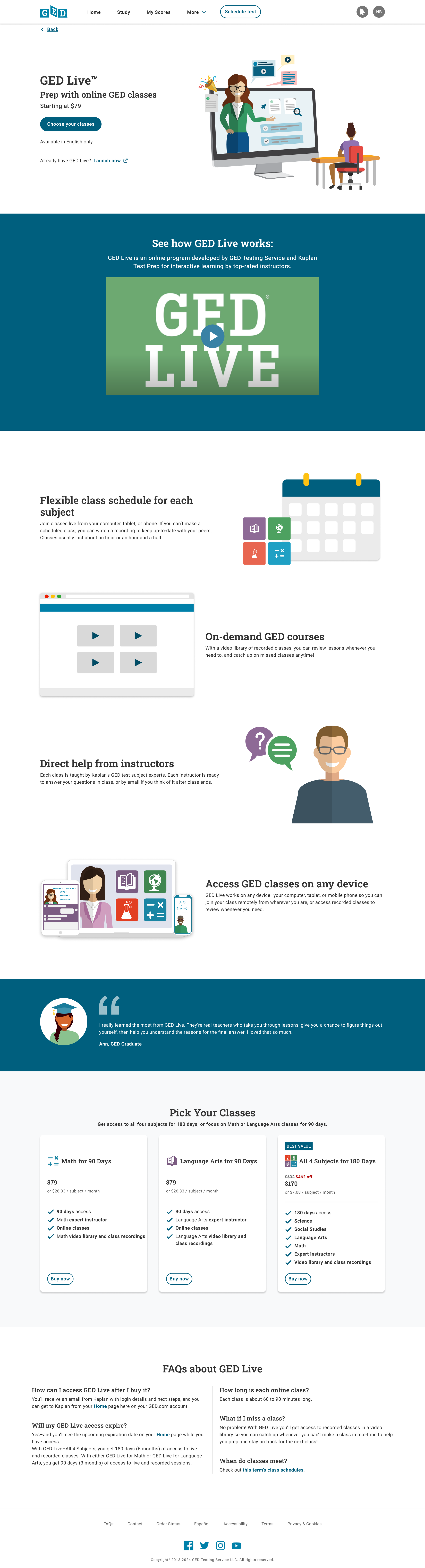
Adding product pages in the portal provides a more uniform experience for users browsing before logging in as well as after, using the newest design system components that have been built (like colors, typography, and spacing)
Providing individual product pages allows for a more uniform user experience during promotions, and reduces different implementations and maintenance for the Tech team
Reusing sections and elements like the hero section, product callouts, user quotes, and FAQs, provides a recurring and more consistent user experience
Promotions experience:
Study Page:
Green (sticky) banner with a count-down to the end of the promotion
CTA directly to the stand-alone product page for the product that is on sale
“SALE” bubble on the product’s card
Strikethrough of the original price, red sale price listed
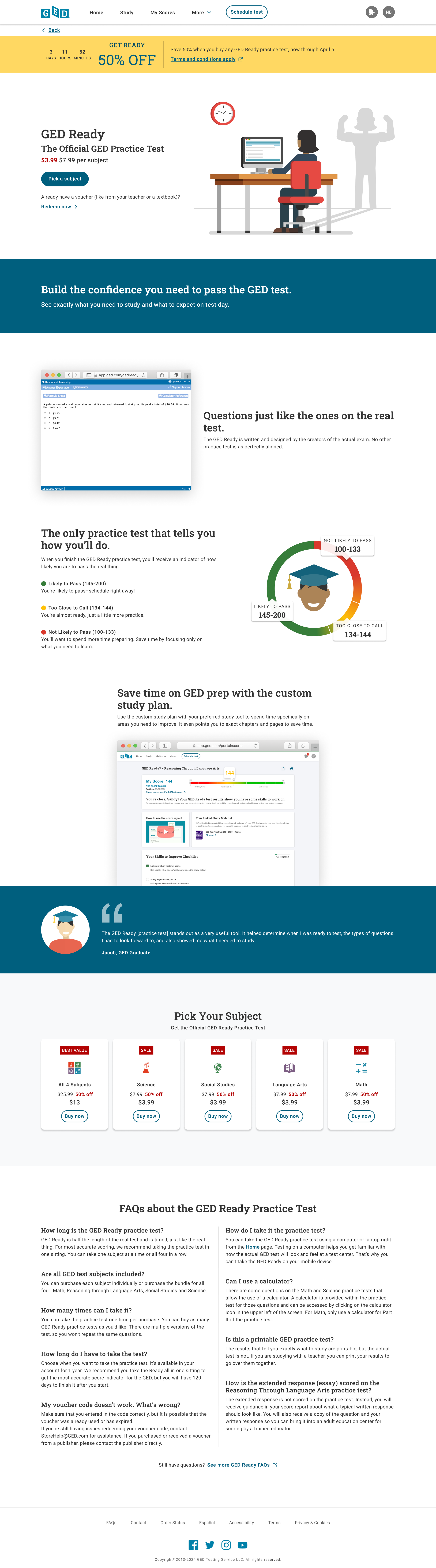
Product Page:
Yellow promotional banner with:
Count-down to the end of the promotion
Marketing copy for the “deal” (e.g. “Get Ready 50% off” “Sale $25 off”, etc.)
Price strike-through on the hero
Red “SALE” red pill box at the top of each of the product tiles (e.g. under “Pick your subject”)
Red sale details on each of the product tiles (e.g. “50% off”, “$25 off”, etc.)
Product illustrations for “free tools”